
Back to writing tech stuff after spending the last few posts rambling about politics! Honestly, it feels super satisfying to finally sit back and look at my long-awaited homelab setup running on the corner of my desk. My weapon of choice? A used Mini PC I bought on a local marketplace, the HP ProDesk 600 G4.
Looking back, the buying process was driven by a naive attempt to save money. I strategically waited for a big double-digit sale date to catch a discount, but fate clearly had other plans for my wallet and sanity. When the package arrived and I unboxed it, surprise number one hit me: this unit had zero HDMI ports, it was full DisplayPort (DP). Naturally, I rushed to buy both a DP-to-HDMI converter adapter and a direct DP-to-HDMI cable, hunting both online and running a marathon through local tech shops.
Unfortunately, when everything was plugged in, the machine stayed dead. No fan spin, nothing. I popped open the chassis and noticed a solid yellow diagnostic light on the motherboard. A quick Google search confirmed my fear: a dead motherboard. To make matters worse, as I opened the app to request a return, I realized the automated return window had expired literally a few minutes prior! The return button was grayed out. My only option was to manually negotiate with the seller, who thankfully was reasonable enough to agree to a manual return.
The drama didn’t end there. Wanting to get it over with, I took the package to a nearby courier depot. The agent insisted on wooden crating, which would double the billable weight to 4 kg. I refused, as the seller shipped it without crating initially, and the unit was defective anyway. Yet, out of pure distraction and impatience just to get the replacement moving, I paid the shipping fee without realizing they had charged me for the 4 kg weight anyway!
The waiting game was an absolute exercise in anxiety thanks to the seller’s agonizingly slow communication. Tracking showed they received the returned unit on Saturday, but four days passed with no sign of a replacement being dispatched. From Saturday through Tuesday, I found myself repeatedly checking in and spamming their WhatsApp and marketplace inbox. They finally shipped it out on Wednesday, and it landed at my doorstep on Friday, along with another shipping fee on my tab, of course. The ironic part? My grand plan to save money during a promotional sale ended up costing me extra for adapters, cables, and double shipping fees, a budget that could have easily funded a month’s worth of good coffee, haha.
When the new unit arrived, another hurdle popped up. Connecting it to my existing monitor via the adapter yielded a completely blank screen. No BIOS, no signal, even though the fans were spinning and the motherboard lights looked healthy. Interestingly, the adapter worked perfectly fine on my main PC. Exhausted from troubleshooting adapters, I made an impulsive call: I went out and bought a native DisplayPort-supported monitor. Goodbye extra cash, but hey, I was planning a dual-monitor setup anyway, it just happened a bit sooner than expected.
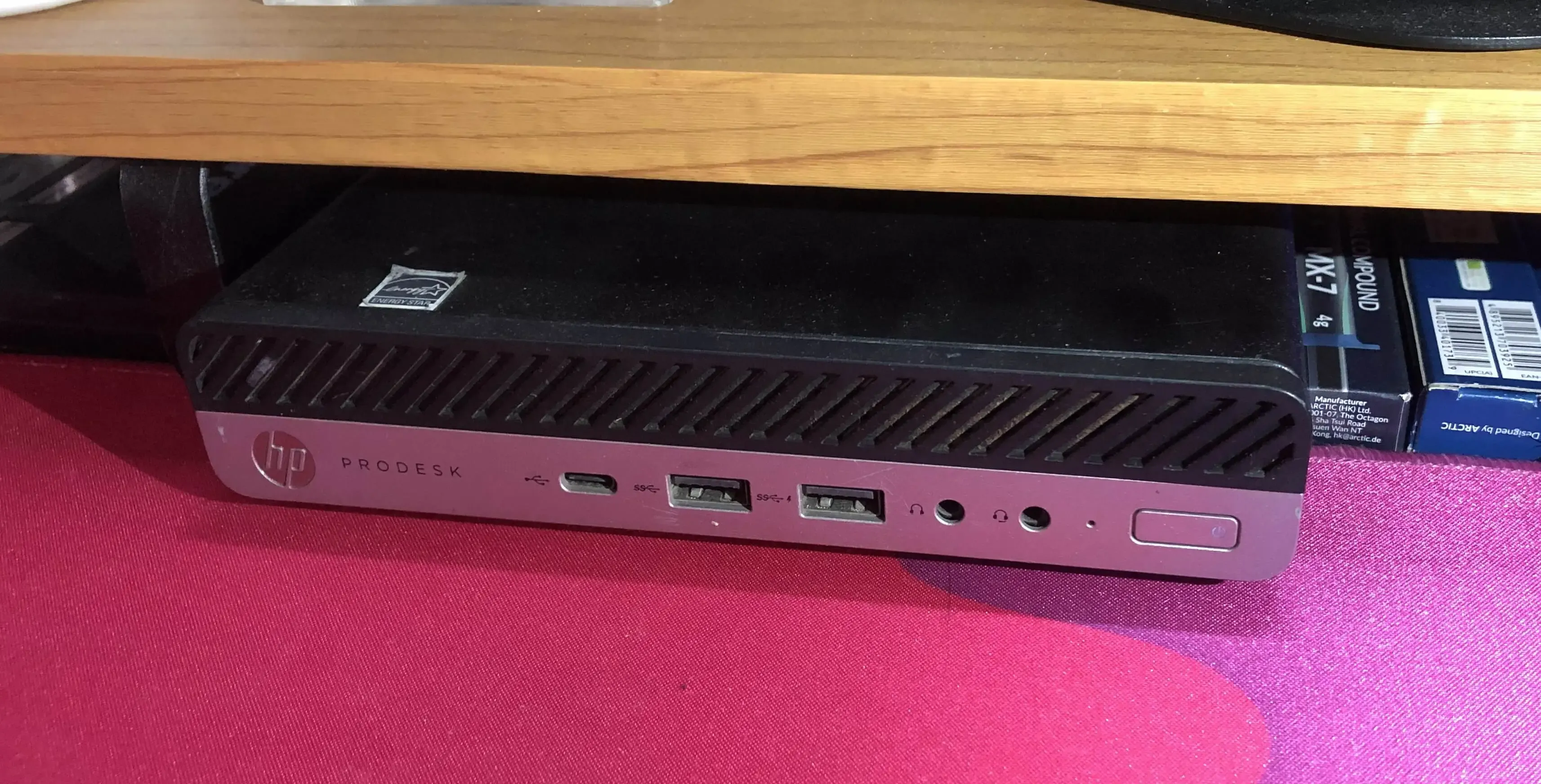
And sure enough, the moment I hooked it up directly via DP to the new monitor, the Mini PC booted up like a charm.
With the hardware sorted, the real fun began. I wiped the drive, installed Proxmox, and initially spun up four Virtual Machines (VMs):
- Production Docker: Housing core services like MariaDB, PostgreSQL, and Portainer that I rarely mess with.
- AdGuard Home: Managing DNS and blocking ads across my home network.
- Cloudflared: Handling secure remote access so I can hit my services away from home.
- Staging Docker: A sandbox to host client demos, which gets wiped clean once a project is signed off.
(If you’re curious about the setup, I’ve logged some of my early configs on my GitHub repo over at My-Homelab).
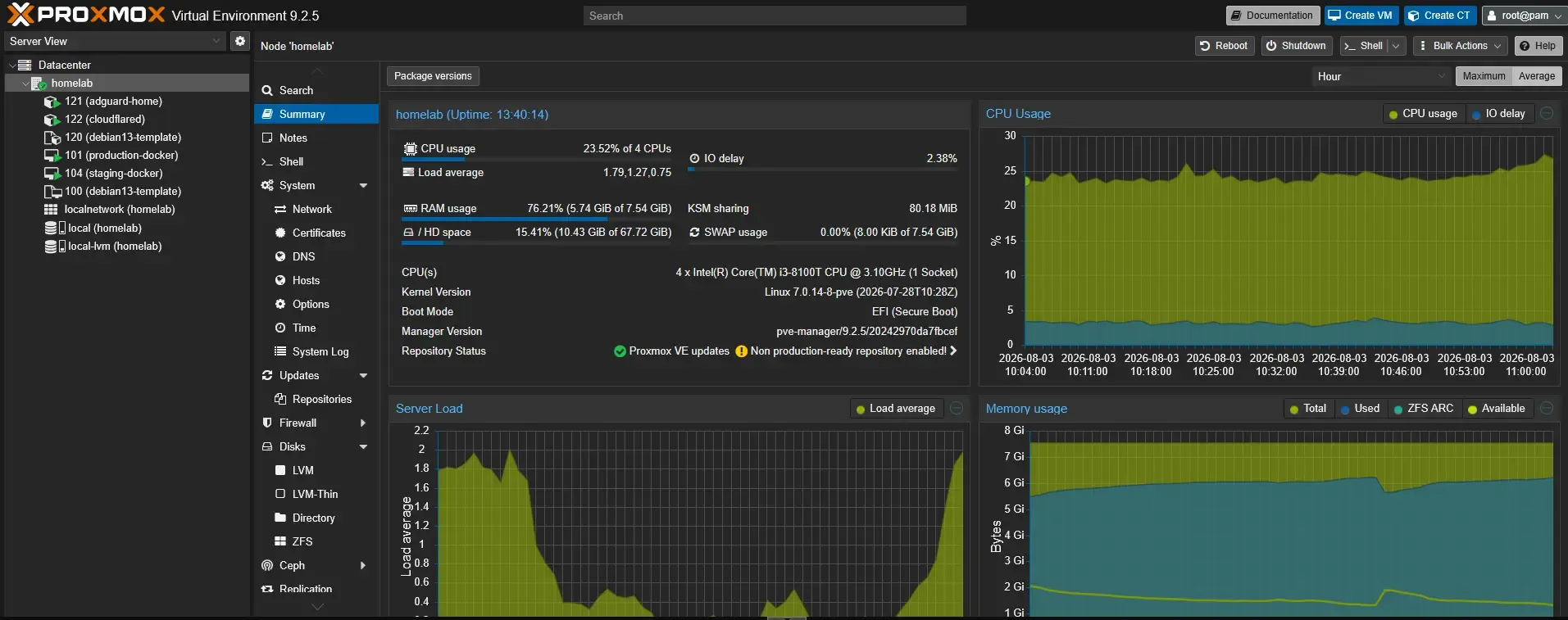
What I quickly realized, though, was that 8 GB of RAM reaches its limit pretty fast under full virtualization. Just running AdGuard and Cloudflared in separate VMs was eating up around 200 to 500 MB of RAM each. After digging around for lightweight alternatives, I migrated both services from full VMs into LXC (Linux Containers). The performance gain was instant, and the RAM overhead dropped significantly.
It’s only been a week of tinkering, but having this little homelab running smoothly is insanely rewarding. Despite the manual return headaches, unexpected shipping costs, and an unplanned monitor upgrade, nothing beats the feeling of hosting your own infrastructure. This is definitely just the beginning of the rabbit hole, and I’m excited to see what I’ll host on it next.